Ali was sending photos from his phone to cloud storage. He said, “I am uploading.” Later, he saved a movie from the internet to his laptop. He said, “Now I am downloading.” This small moment shows the difference between uploading and downloading.
Many people use the internet daily, but they forget the difference between uploading and downloading. The difference between uploading and downloading is about direction of data. When you send files to the internet, it is uploading. When you receive files from the internet, it is downloading.
Knowing the difference between uploading and downloading helps us use apps, email, and websites correctly.
Pronunciation
- Uploading
- US: /ʌpˈloʊ.dɪŋ/
- UK: /ʌpˈləʊ.dɪŋ/
- Downloading
- US: /ˌdaʊnˈloʊ.dɪŋ/
- UK: /ˌdaʊnˈləʊ.dɪŋ/
Now let us move to the main part.
Key Difference Between the Both
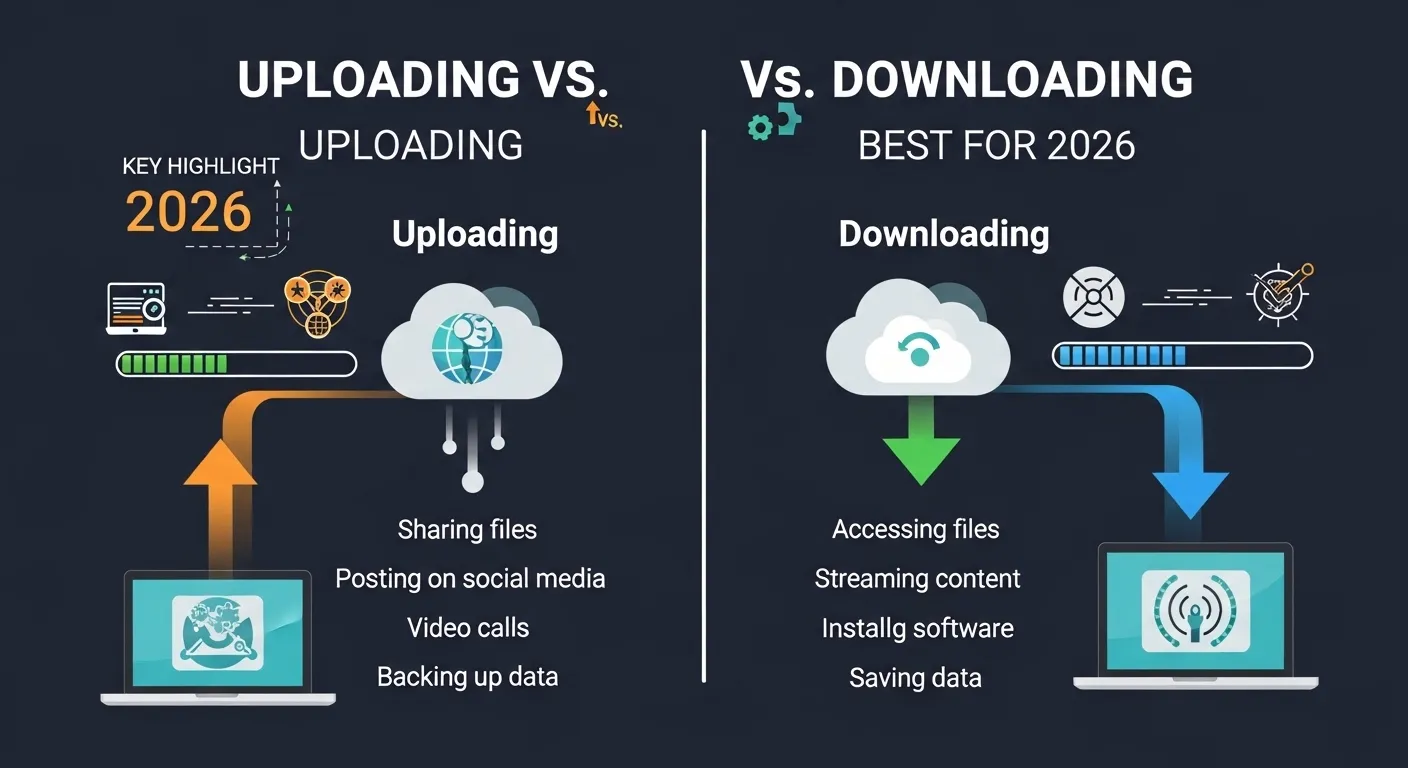
Uploading means sending data from your device to the internet.
Downloading means receiving data from the internet to your device.
The main difference is the direction of data transfer.
Why Is Their Difference Necessary to Know for Learners and Experts?
Students use online classes. Workers send emails and files. Developers manage websites. Knowing the difference avoids mistakes. It helps people understand internet speed. Upload speed and download speed are not the same. In society, digital work is common. Clear knowledge supports better communication and safe data use.
Difference Between Uploading and Downloading
1. Direction
- Uploading sends data upward to a server.
- Example 1: Posting a photo on social media.
- Example 2: Sending a document by email.
- Downloading brings data down to your device.
- Example 1: Saving a PDF from a website.
- Example 2: Installing an app.
2. Data Movement
- Uploading moves data away from you.
- Example 1: Backing up files to cloud.
- Example 2: Sharing a video online.
- Downloading moves data toward you.
- Example 1: Watching a saved movie.
- Example 2: Getting music from a site.
3. Internet Speed
- Uploading uses upload speed.
- Example 1: Slow video posting.
- Example 2: Delay in sending large files.
- Downloading uses download speed.
- Example 1: Fast streaming.
- Example 2: Quick file saving.
4. Common Use
- Uploading is common for creators.
- Example 1: YouTuber posting content.
- Example 2: Student submitting assignment.
- Downloading is common for users.
- Example 1: Reading e-book.
- Example 2: Installing software.
5. Storage Location
- Uploading stores data online.
- Example 1: Cloud backup.
- Example 2: Website content.
- Downloading stores data locally.
- Example 1: Saved image on phone.
- Example 2: Offline video file.
6. Control
- Uploading gives others access.
- Example 1: Public photo post.
- Example 2: Shared folder.
- Downloading gives you access.
- Example 1: Private copy of file.
- Example 2: Personal music file.
7. Time Needed
- Uploading may take longer for large files.
- Example 1: HD video upload.
- Example 2: Large backup file.
- Downloading may be faster.
- Example 1: Small document download.
- Example 2: Quick app install.
8. Risk
- Uploading may risk privacy.
- Example 1: Sharing private photo.
- Example 2: Uploading wrong file.
- Downloading may risk viruses.
- Example 1: Downloading unsafe software.
- Example 2: Clicking unknown link.
9. Device Role
- Uploading makes your device sender.
- Example 1: Sending email attachment.
- Example 2: Posting story online.
- Downloading makes your device receiver.
- Example 1: Getting lecture slides.
- Example 2: Saving online form.
10. Symbol Idea
- Uploading is like an arrow going up.
- Example 1: Cloud icon with arrow up.
- Example 2: Share symbol.
- Downloading is like an arrow going down.
- Example 1: Save icon with arrow down.
- Example 2: Download button.
Nature and Behaviour of Both
Uploading shares your data with the online world.
Downloading collects data from the online world.
Both are part of internet communication.
Why Are People Confused About Their Use?
Both words end with “loading.” Both use internet data. The only change is “up” and “down.” Some people ignore direction. This causes confusion.
Table Showing Difference and Similarity
| Feature | Uploading | Downloading | Similarity |
| Direction | Device to internet | Internet to device | Data transfer |
| Speed Type | Upload speed | Download speed | Internet use |
| Main Role | Sender | Receiver | Digital activity |
| Storage | Online | Local | Uses network |
| Risk | Privacy risk | Virus risk | Needs caution |
Which Is Better in What Situation?
Uploading is better when you want to share or store files online. It helps in teamwork, cloud backup, and social media posting.
Downloading is better when you want access to content. It helps in watching videos offline, saving documents, or installing programs.
Both are important in daily digital life.
How Are the Keywords Used in Metaphors and Similes?
- “He uploaded his ideas to the team.”
- “She downloaded the lesson into her mind.”
Uploading can mean sharing ideas.
Downloading can mean receiving knowledge.
Connotative Meaning
- Uploading: Positive or neutral.
- Example: “She uploaded her art proudly.”
- Downloading: Neutral or positive.
- Example: “He downloaded helpful notes.”
Both usually have neutral digital meaning.
Idioms or Related Phrases
- “On the same page.”
- Example: “After uploading the file, we are on the same page.”
- “Get the message.”
- Example: “Did you download the message?”
Five Frequently Asked Questions
1. What is uploading?
Sending data from your device to the internet.
2. What is downloading?
Receiving data from the internet to your device.
3. Which is faster usually?
Download speed is often faster.
4. Can you do both at the same time?
Yes, many devices do both.
5. Is streaming downloading?
It is temporary downloading for watching or listening.
How Are Both Useful for Surroundings?
Uploading helps people share knowledge and media.
Downloading helps people learn, work, and enjoy content.
Both support digital communication in society.
Final Words for Both
Uploading means sending.
Downloading means receiving.
Conclusion
The difference between uploading and downloading is simple. Uploading sends data from your device to the internet. Downloading brings data from the internet to your device. Both are basic internet actions. Clear understanding helps avoid mistakes and improves digital skills. In today’s world, knowing this difference is essential for students, workers, and everyday users.

I’m Zahid Abbas, an educator, researcher, and digital publishing strategist with a passion for linguistics, grammar, and clear communication. As a content creator and SEO specialist, I craft research-driven, reader-focused content that empowers learners and makes knowledge accessible worldwide.