Introduction
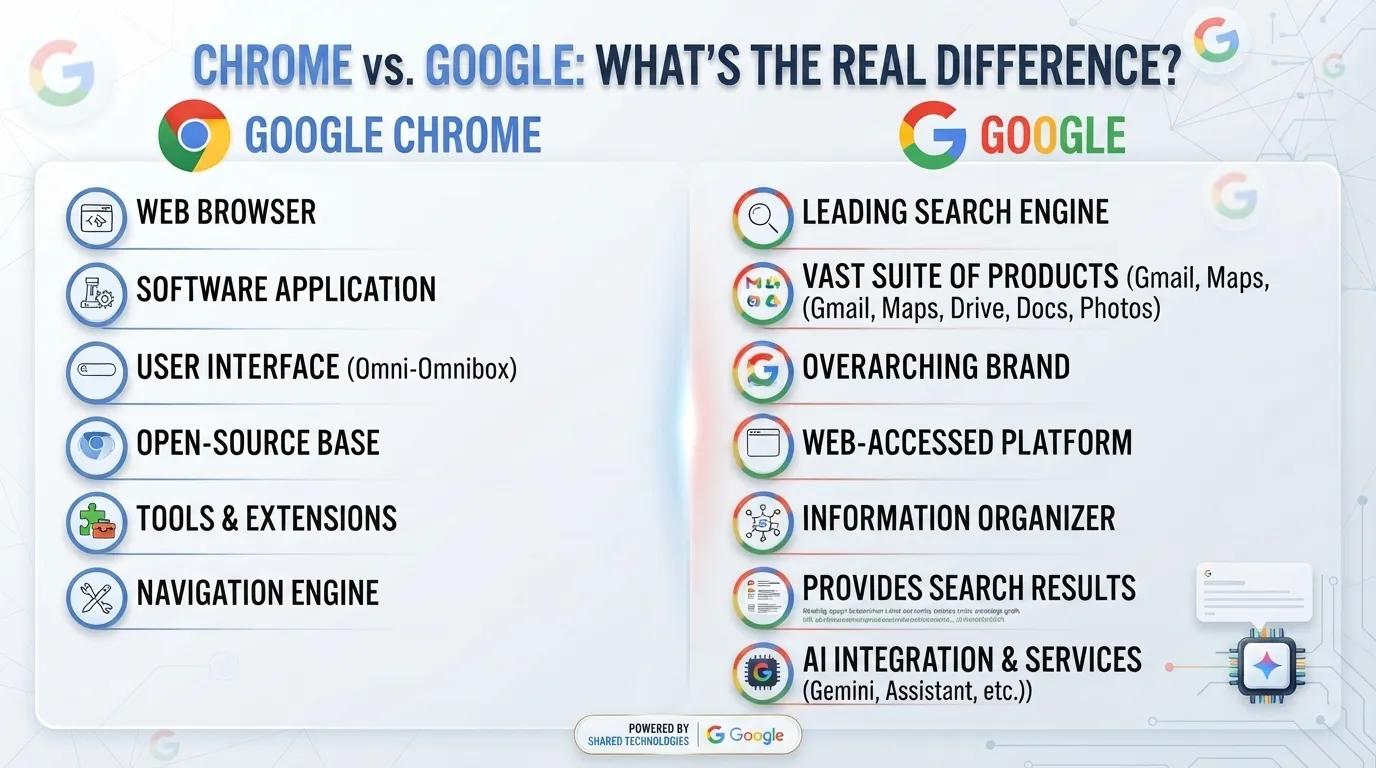
Imagine you are using a laptop to find information for your homework. You open Google Chrome, type a question, and see thousands of results from Google Search. At first, it may seem that Chrome and Google are the same thing. However, they have different jobs. Chrome is a web browser, while Google is a technology company that provides many online products and services. This is the basic difference between Chrome and Google. Understanding the difference between Chrome and Google is useful for students, beginners, and everyday internet users. It can help you understand how browsers and search engines work. The difference between Chrome and Google also matters when learning about modern technology. In this article, we will explain the difference between Chrome and Google with simple examples, comparisons, and an easy table.
Key Difference Between Chrome and Google
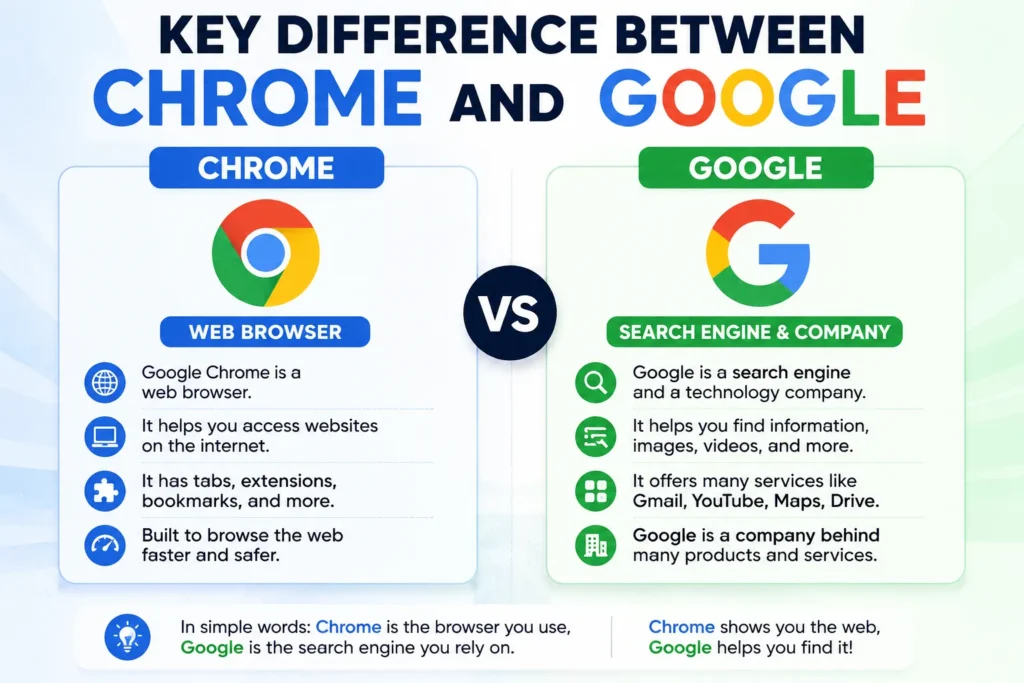
The biggest difference is their purpose:
- Chrome is a web browser.
- Google is a technology company.
- Google Search is a search engine.
- Chrome can be used to access Google Search.
- Google owns and develops Chrome.
Why Is Their Difference Important to Know?
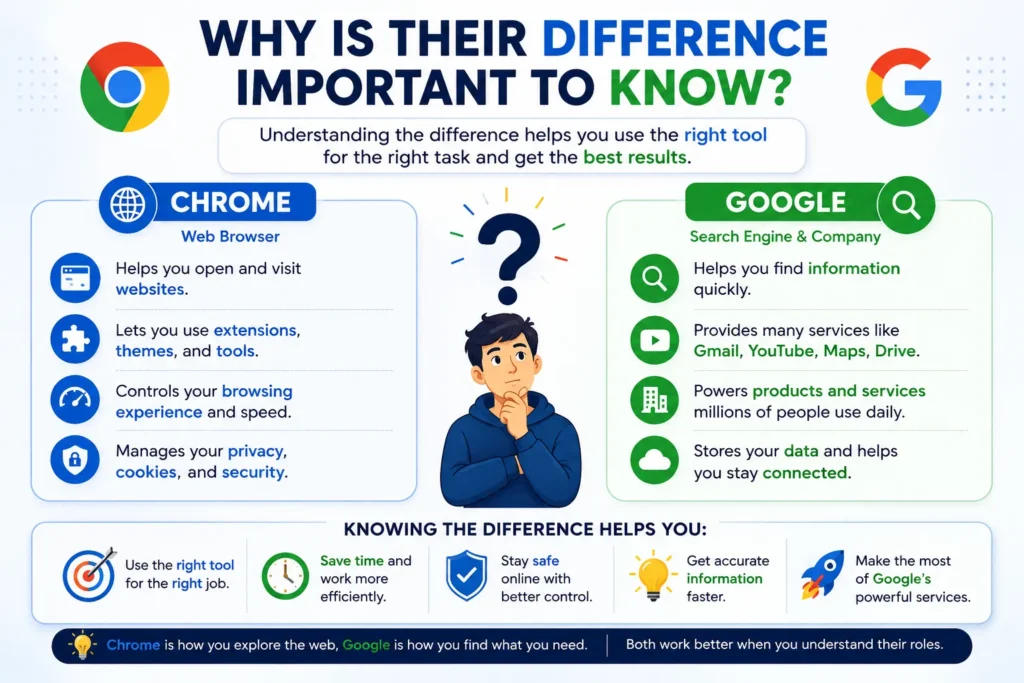
Many beginners use the words “Chrome” and “Google” as if they mean the same thing. Knowing the difference helps learners understand computers and the internet more clearly.
This distinction is also useful for technology students and experts because browsers, search engines, websites, and online services have different functions in the digital world.
Pronunciation of Chrome and Google
Chrome
- US: /kroʊm/ — “KROHM”
- UK: /krəʊm/ — “KROHM”
- US: /ˈɡuːɡəl/ — “GOO-guhl”
- UK: /ˈɡuːɡəl/ — “GOO-guhl”
Now that the basic meaning is clear, let us explore the differences between Chrome and Google in detail.
Difference Between Chrome and Google
1. What Are They?
Chrome
Chrome is a web browser. It is software that allows you to visit websites and use web applications.
Examples:
- You can open an online learning website in Chrome.
- You can watch a video website through Chrome.
Google is a technology company that develops and provides many products and services.
Examples:
- Google provides Google Search.
- Google also provides Gmail and Google Maps.
2. Main Purpose
Chrome
Chrome’s main purpose is to help users browse the internet.
Examples:
- You can open several websites in different tabs.
- You can save websites as bookmarks.
Google provides many different technology services.
Examples:
- Google Search helps you find information.
- Google Drive helps you store files online.
3. Search Function
Chrome
Chrome is not a search engine. It is a browser that can open search engines.
Examples:
- You can use Google Search through Chrome.
- You can also use Bing through Chrome.
Google Search is a search engine.
Examples:
- You can search for “English grammar rules.”
- You can search for “weather in Pakistan.”
4. Type of Technology
Chrome
Chrome is application software known as a browser.
Examples:
- Microsoft Edge is another browser.
- Firefox is also a browser.
Google is a technology company with many products.
Examples:
- Google develops Chrome.
- Google operates Google Search.
5. Website Access
Chrome
Chrome allows you to access websites.
Examples:
- You can open Facebook in Chrome.
- You can access an online university portal in Chrome.
Google provides many websites and online services.
Examples:
- You can use Gmail through a browser.
- You can use Google Docs online.
6. Account Requirement
Chrome
You do not need a Google account to perform basic browsing in Chrome.
Examples:
- You can open a public website without signing in.
- You can browse many websites without an account.
Many Google services provide additional features through a Google account.
Examples:
- Gmail uses a Google account.
- Google Drive stores files in your account.
7. Synchronization
Chrome
Chrome can synchronize certain browser information when you sign in.
Examples:
- Chrome can synchronize bookmarks.
- Chrome can synchronize some browser settings.
Google provides cloud services that can store and synchronize information.
Examples:
- Google Drive stores files online.
- Google Photos stores photos online.
8. Devices
Chrome
Chrome is available on many devices and operating systems.
Examples:
- You can use Chrome on a Windows computer.
- You can use Chrome on an Android phone.
Google services are available across many devices.
Examples:
- Google Maps can be used on smartphones.
- Google Search can be accessed from computers and phones.
9. Developer and Owner
Chrome
Chrome is developed by Google.
Examples:
- Google releases Chrome updates.
- Google works on Chrome’s security and performance.
Google is the company itself.
Examples:
- Google develops Chrome.
- Google provides many other technology products.
10. Everyday Use
Chrome
You use Chrome when you want to browse websites.
Examples:
- “Open Chrome so I can visit the website.”
- “I use Chrome for my online classes.”
People often use “Google” to mean Google Search.
Examples:
- “Google the meaning of this word.”
- “I found the answer on Google.”
Nature and Behaviour of Chrome
Chrome works as a bridge between the user and the web. It sends requests to websites and displays their pages on your screen.
It can provide features such as:
- Tabs
- Bookmarks
- History
- Extensions
- Private browsing
- Password management
- Synchronization
In simple words:
Chrome helps you browse the internet.
Nature and Behaviour of Google
Google is much broader than a browser or search engine. It is a technology company with many products and services.
Some well-known Google products include:
- Google Search
- Gmail
- Google Maps
- Google Drive
- Google Photos
- Android
- YouTube
- Google Chrome
In simple words:
Google is a technology company that provides many digital services and products.
Why Are People Confused About Their Use?
The confusion happens because Chrome and Google are closely connected.
When you open Chrome, Google Search may appear as the default search engine. Therefore, beginners may think Chrome itself is Google.
But they are different.
A simple example can make it clear:
Chrome = the browser you use to enter the internet.
Google Search = the search engine you use to find information.
Google = the company that provides Google Search and develops Chrome.
Chrome vs Google: Difference and Similarity
| Feature | Chrome | |
| What is it? | Web browser | Technology company |
| Main purpose | Browse websites | Provide technology products and services |
| Search engine? | No | Google operates Google Search |
| Developer | Company itself | |
| Can access websites? | Yes | Google services can be accessed online |
| Gmail | Can open Gmail | Provides Gmail |
| Google Search | Can access it | Provides Google Search |
| Google Maps | Can access it | Provides Google Maps |
| Works on computers | Yes | Many Google services do |
| Related to internet technology | Yes | Yes |
Which Is Better in What Situation?
Chrome
Chrome is better when you want to browse websites or use web-based applications. It is useful for students who need to visit educational websites, watch online lessons, read articles, or use online tools. You can also use Chrome to access different search engines, not only Google Search. For example, you can open Google Search, Bing, or another search service inside Chrome. Therefore, Chrome is a tool for accessing the web rather than a search engine itself.
Google is better when you need Google’s specific services. Google Search is useful for finding information, while Gmail is useful for email, Google Maps helps with locations, and Google Drive helps store files. Therefore, Google is not really an alternative to Chrome. Instead, Google provides services that you can access through Chrome or other browsers.
Chrome and Google in Metaphors and Similes
These technical words can be explained with simple metaphors.
Chrome as a metaphor
“Chrome is a doorway to the internet.”
This means Chrome gives you access to websites.
Google as a metaphor
“Google is like a giant digital library.”
This describes Google Search as a place where users can find information.
Example
“Chrome is like a road, while Google Search is like a guide that helps you find your destination.”
Connotative Meaning of Chrome and Google
Chrome
The word Chrome is generally neutral when referring to the browser.
Positive:
“Chrome made my online lesson easy to access.”
Negative:
“Chrome was using too much computer memory.”
Neutral:
“I opened the website in Chrome.”
The word Google is generally neutral.
Positive:
“Google helped me find useful study information.”
Negative:
“Google showed me too many search results.”
Neutral:
“I searched Google for the answer.”
Idioms and Expressions Related to Chrome and Google
There are no traditional English idioms specifically about Chrome.
However, modern English has some expressions related to Google and online searching.
“Google it”
It means to search for information using Google Search.
Example:
“I don’t know this word, so I will Google it.”
“At your fingertips”
This means something is easily available.
Example:
“With Google Search, information is at your fingertips.”
“Search high and low”
This means to search everywhere.
Example:
“I searched high and low on Google for the information.”
Works in Literature Related to Google and Technology
Chrome and Google are modern technologies, so they are mainly discussed in contemporary literature.
- The Circle — social science-fiction novel, Dave Eggers, 2013. It explores technology, online communication, and digital society.
- QualityLand — science-fiction satire, Marc-Uwe Kling, 2017. It explores algorithms, technology, and digital life.
- Klara and the Sun — science-fiction novel, Kazuo Ishiguro, 2021. It explores artificial intelligence and technology.
Movies Related to Google and Digital Technology
- The Internship — comedy film, 2013, United States. The story follows two older workers who become interns at Google.
- The Social Network — drama film, 2010, United States. It explores the creation and growth of Facebook.
- Searching — mystery thriller, 2018, United States. It uses computers, websites, and digital communication as major parts of the story.
- Missing — mystery thriller, 2023, United States. It explores modern digital tools and online investigation.
Final Thoughts
The difference between Chrome and Google is simple once you understand their roles.
Chrome is a web browser. It allows you to visit websites and use online applications.
Google is a technology company. It provides many products and services, including Google Search, Gmail, Google Maps, Google Drive, Android, and Chrome.
So, Chrome and Google are connected, but they are not the same.

I’m Zahid Abbas, an educator, researcher, and digital publishing strategist with a passion for linguistics, grammar, and clear communication. As a content creator and SEO specialist, I craft research-driven, reader-focused content that empowers learners and makes knowledge accessible worldwide.